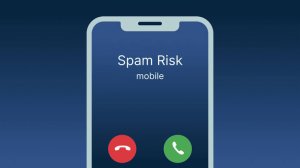
Receiving a call from a number that isn't saved in your contacts is quite common. The problem is that we don't always know if the call is from a company, someone we know using another phone, telemarketing, or simply an unwanted number.

Truecaller Call Blocking
Fortunately, there are apps that can help identify unknown numbers before you even decide to answer. One of the best-known options for this purpose is... Truecaller, available for Android and iPhone mobile phones.
The app combines caller ID, number lookup, and blocking tools to provide more information about who is trying to contact you.
What is Truecaller?
Truecaller is an application developed specifically for identifying and managing phone calls.
Its main function is to display information about numbers that are not registered in the phone's contact list. Depending on the information available in its database, the application can indicate the name associated with the phone number or inform users when a particular number has been identified as a business or potential spam.
The service uses a large database fed by available information as well as reports made by the user community itself.
In addition to identifying calls, the app has tools to manually search for numbers and reduce unwanted calls.
How do I identify an unknown number?
After installing and configuring Truecaller, the app can work integrated with the calling features available on your smartphone.
When an unknown number is called, the system checks the available information about that number.
If matching data is found, information about the possible caller may be displayed on the screen.
This allows you to better assess the call before answering.
It's important to remember that no tool of this type can accurately identify 100% from the numbers. Information may be unavailable or outdated, so the identification should be used as a reference.
Phone number lookup
Another interesting feature is the ability to perform a manual search.
Imagine you received a call, couldn't answer, and were unsure who called. Instead of calling back immediately, you can look up the phone number through the app.
The process typically works like this:
- Open Truecaller.
- Access the search tool.
- Enter the full number you wish to look up.
- Please wait for the research to be completed.
- Check out the available information.
If that phone number is in the service's database, the app may display information related to that number.
Identifying potential spam calls
In addition to identifying who might be calling, Truecaller also has tools focused on unwanted calls.
When multiple users flag a particular phone number as spam, telemarketing, or a suspicious call, this information may appear to other people who receive a call from the same number.
This way, before answering, you may receive an indication that the call has already been reported by other users.
Truecaller also offers call blocking features, although some functionalities may vary depending on the operating system, region, and version used.
Main features
Among the main features available in Truecaller are:
- Identifying unknown numbers;
- Reverse phone number lookup;
- Identifying potential spam calls;
- Blocking unwanted calls;
- Researching local and international statistics;
- History of identified numbers;
- Identification of some companies;
- Contact and call management;
- Additional spam protection features.
The exact availability of each tool may vary between Android and iPhone.
How to configure the application
After installing the application, some permissions may be requested for certain features to function correctly.
On Android, depending on the device and system version, the app may request access related to calls and number identification.
On iPhones, some features need to be enabled in the iOS settings themselves.
It's important to review each permission requested and grant only those necessary for the resources you intend to use.
Is it possible to discover any number?
No.
Identification apps rely on the information available in their databases. Therefore, some phone numbers may appear with detailed information while others may continue to be displayed only as unknown numbers.
There is also the possibility that the information is incorrect or outdated.
Therefore, the result presented by the application should not be considered absolute confirmation of the identity of the person making the call.
Is Truecaller free?
Truecaller can be installed for free and offers features without any payment.
However, the app also has in-app purchases and Premium plans that unlock additional features. Some more advanced functions may require a subscription, especially on iPhone.
You can start by using the free version and then decide if the additional features make sense for your needs.
Are there differences between Android and iPhone?
Yes. Because Android and iOS have different systems for managing calls, some Truecaller functions don't work exactly the same way on both platforms.
On Android, there is extensive integration with calls and number identification.
On iPhones, certain features depend on the iOS version and the caller ID and call blocking settings provided by Apple.
Therefore, it is recommended to keep both the application and the operating system up to date.
Be careful when receiving calls from unknown numbers.
Even when using caller ID, some precautions are still important.
Avoid providing passwords, codes received via SMS, or other confidential information simply because a certain name appeared on caller ID.
If someone claims to represent a company or institution and you have doubts about the connection, end the call and look for that organization's official channels.
Apps like Truecaller help with identification, but should function as an additional tool for deciding how to deal with unknown numbers.
Is it worth using caller ID?
For those who receive many calls from numbers not saved in their contacts, using an caller ID app can make daily life much easier.
Instead of simply answering all calls, you gain access to additional information that can help you decide which calls deserve attention.
Truecaller stands out primarily for bringing together caller ID, number lookup, and anti-spam tools within a single application.
Download the app