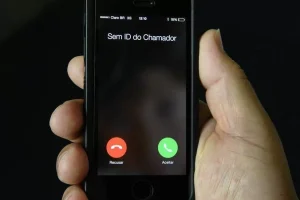
Receiving calls from unknown numbers multiple times a day can be quite annoying. Automated calls, commercial offers, suspicious numbers, and potential scam attempts lead many people to seek a simple way to filter who can contact them by phone.

Truecaller Call Blocking
The good news is that there are apps that can identify unknown numbers and help block unwanted calls before you even have to answer them.
One of the best-known options for this purpose is... Truecaller, an app available for Android and iPhone mobile phones.
What is Truecaller?
Truecaller is a caller ID and spam blocking app. Its main function is to show information about who is calling, even when a particular number is not saved in the phone's contact list.
In addition to caller ID, the app has features specifically designed to detect numbers frequently associated with spam, telemarketing, robocalls, and suspicious activity.
In this way, when a call comes in on the cell phone, the user can get more information to decide whether to answer, ignore, or block that number.
How does the app identify unwanted calls?
Truecaller uses its database and spam detection systems to analyze phone numbers.
When a specific number displays characteristics or records associated with unwanted calls, the app may display an alert on the screen.
This is especially helpful in situations where you receive a call from a completely unknown number and you don't know whether to answer.
Depending on the operating system, the chosen settings, and the features available in the installed version, it is also possible to use blocking tools to automatically reduce some of these calls.
Main functions of Truecaller
Among the main features offered by the application are:
Caller ID
Allows you to view information about unknown numbers during an incoming call.
Spam detection
The app can identify numbers associated with unwanted calls, telemarketing, robocalls, and potential fraud.
Call blocking
Numbers identified as unwanted can be blocked to reduce further interruptions.
Number research
It is also possible to search for specific numbers directly through the app to check available information about them.
Protection against suspicious numbers
The database is used to help recognize patterns related to numbers reported or classified as spam.
How to block unwanted calls using the app.
After installing Truecaller, you will need to perform the initial setup and grant the necessary permissions for the caller ID features to function correctly.
On Android, the available features may vary depending on the device manufacturer and the operating system version.
On iPhones, some features need to be enabled in the iOS phone settings. The availability of certain functions may also depend on the operating system version and the plan used with Truecaller.
After setup, the app will help identify incoming calls.
When you encounter a number that you consider suspicious or unwanted, you can avoid the call and, when available, add it to your block list.
Can I block a specific number?
Yes.
If a specific number is calling repeatedly, it can be blocked to prevent further calls.
This feature is especially useful for telemarketing numbers or other recurring calls that you don't want to receive.
In addition, Android and iPhone also offer their own system options for blocking numbers individually.
Is it possible to find out who is calling?
That is precisely one of the main features of Truecaller.
When you receive a call from a phone number that is not saved in your contacts, the app can consult the information available in its database and present an identification.
Not every number will necessarily have information available, and no tool can guarantee the correct identification of all calls, but the feature can be very helpful when deciding whether it's worth answering.
Does Truecaller automatically block calls?
The app offers blocking and spam protection features, but its exact functionality depends on the phone, operating system, chosen settings, and service version.
On Android, there are options to protect against calls identified as spam.
On iPhones, the setup works differently, and certain advanced identification and locking features may require a signature.
Therefore, after installation, it's worth checking all the protection options available within the application.
Does Truecaller work on Android and iPhone?
Yes. The app has official versions for the two main mobile operating systems:
- Android
- iOS (iPhone)
The interface and some functionalities may differ between platforms due to the operating rules of each system.
Is the app free?
Truecaller can be installed for free, but it also has in-app purchases and premium features.
The free version offers basic functions related to caller ID and spam protection, while certain additional or advanced features may be part of the paid plans.
Before subscribing to any plan, it's important to check directly in the app which features are included for free on your device.
Advantages of using a call blocker
For those who receive many unknown calls during the day, using an app like this can make using a cell phone much easier.
Among the main advantages are:
- Reduction of unwanted calls;
- Identifying unknown numbers;
- Alerts about potential spam calls;
- Ability to block specific numbers;
- Search for unknown numbers;
- Greater control over incoming calls.
The app can also be useful for those who need to keep their phone available for important calls and therefore don't want to simply block all numbers that aren't in their contacts.
Be careful with unknown calls.
Even when using an identification app, some precautions are still important.
Avoid providing passwords, codes received via SMS, bank details, or other personal information during unexpected calls.
If someone calls claiming to represent a bank, company, or institution and asks for confidential information, a safer option is to end the call and contact the institution's official channel.
It's also important to remember that identification systems are not infallible. A legitimate number can eventually be misclassified, while new numbers used for spam may not yet be registered in the database.
Is Truecaller worth using?
For those who frequently receive calls from unknown numbers, Truecaller can be a useful tool.
The combination of caller ID, number lookup, and spam detection makes it much easier to decide which calls to answer.
Instead of simply ignoring all unknown calls, the user now has additional information before making a decision.
To get the most suitable features, it's worth configuring the app correctly after installation and periodically reviewing the locking and identification options available on your phone.
Download the app